DoorEntra Join the waiting list

Open your building's door from anywhere.

DoorEntra is a smart intercom for apartment buildings. A visitor rings, you see and talk to them on your phone, and you slide to open the door. Managers run every tablet and every resident from one simple console.

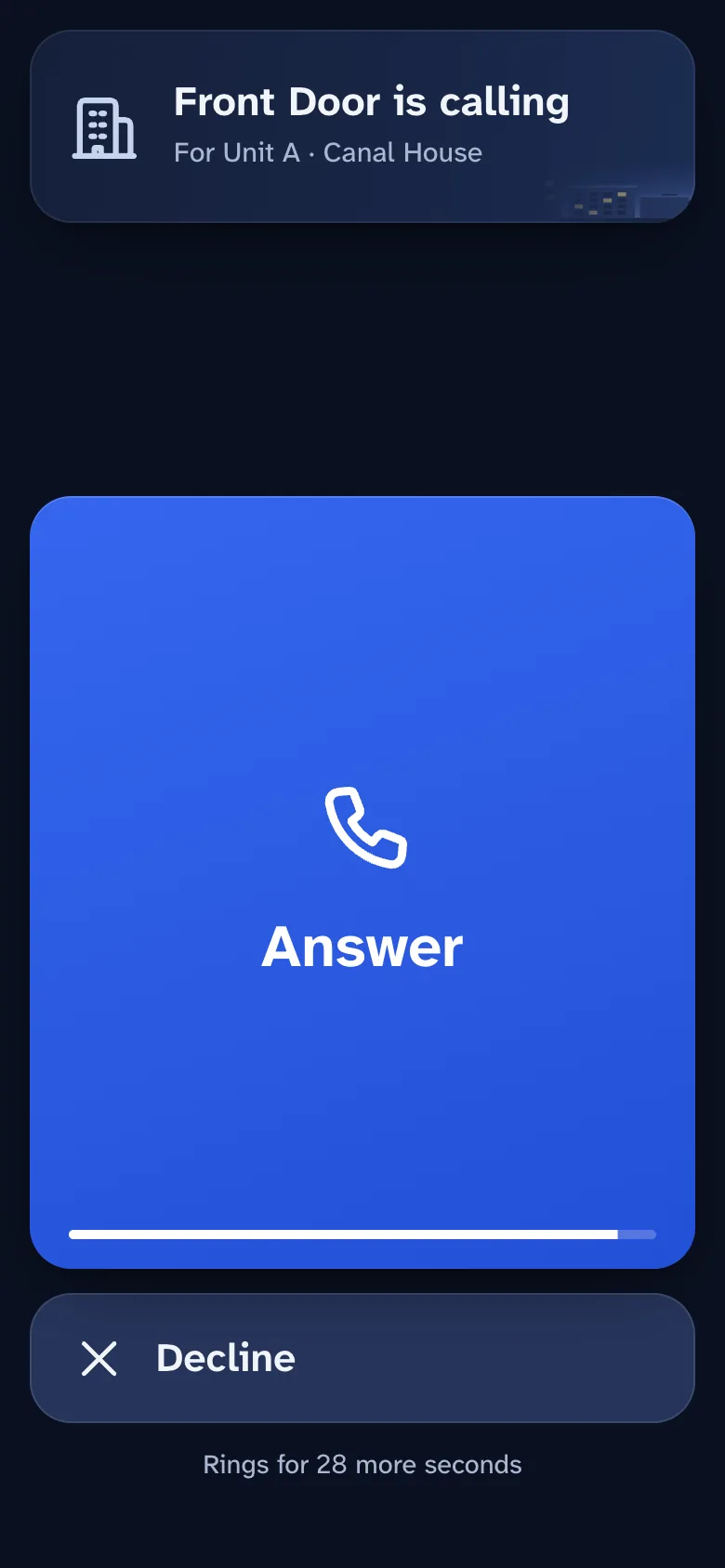
The resident's phone showing an incoming call from the Front Door, with Answer and Decline buttons.
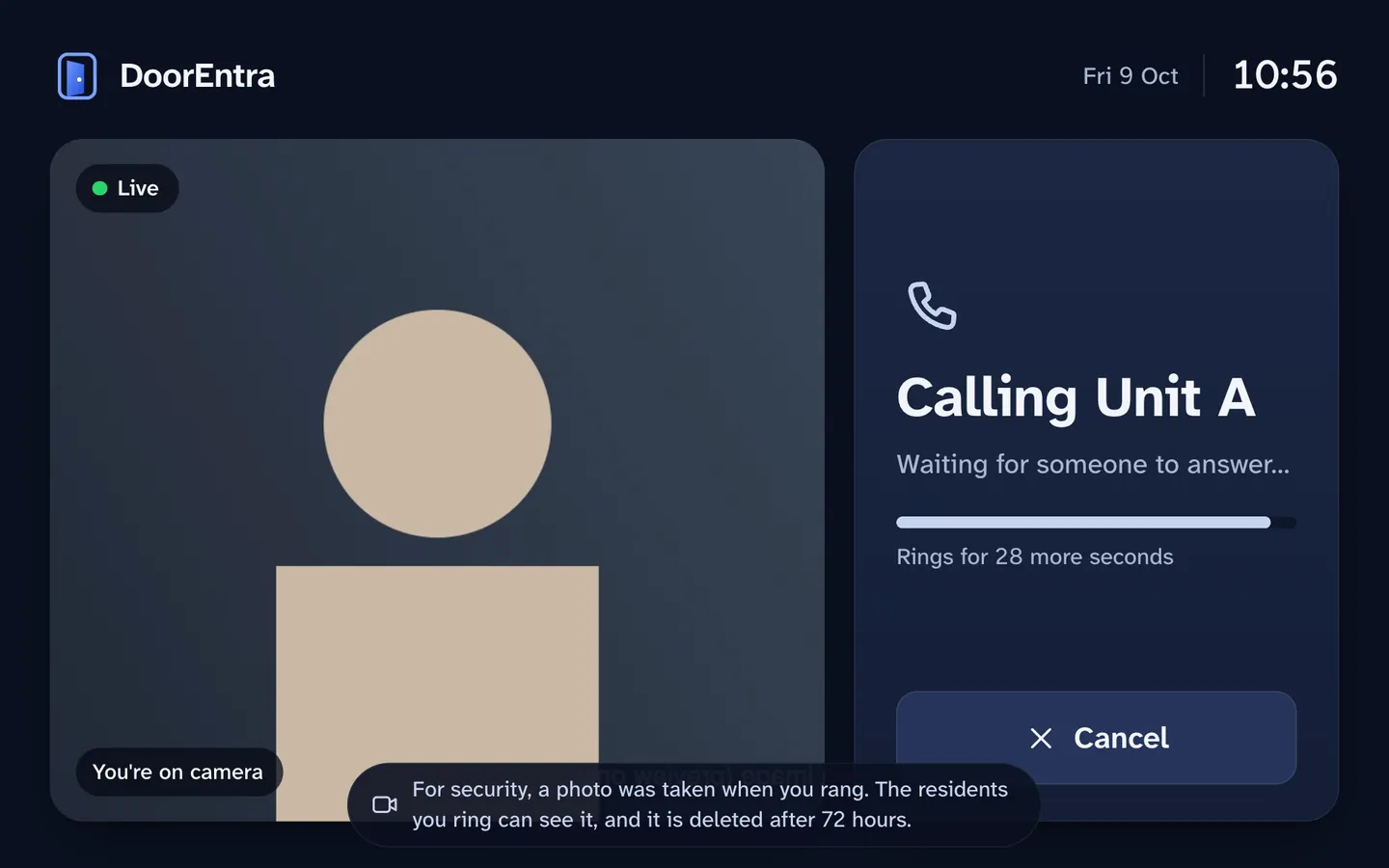
The door tablet while calling, with a live preview and a notice that a photo was taken.

Ring. Answer. Open.

  1. A visitor rings at the door.

    A tablet at the entrance lists the apartments. They tap yours, type the building PIN, or scan a key you gave them.

  2. Your phone rings, wherever you are.

    You see and hear them live, even with the phone locked. Talk to them, or decline.

  3. Slide to open.

    One deliberate slide releases the door for a few seconds. It locks again by itself.

For residents: the whole door in your hand.

It runs in your phone's browser, with nothing to install from an app store. You sign in once and your door is with you at home, at work or abroad.

Answer the door from anywhere.

Live video and two-way audio. With the phone locked, a notification rings and repeats while the call rings. If several people live in the apartment, the first to answer takes the call.

  • Encrypted video and audio between the door and your phone
  • Decline, or switch your own camera on
  • On iPhone, add it to the Home Screen once
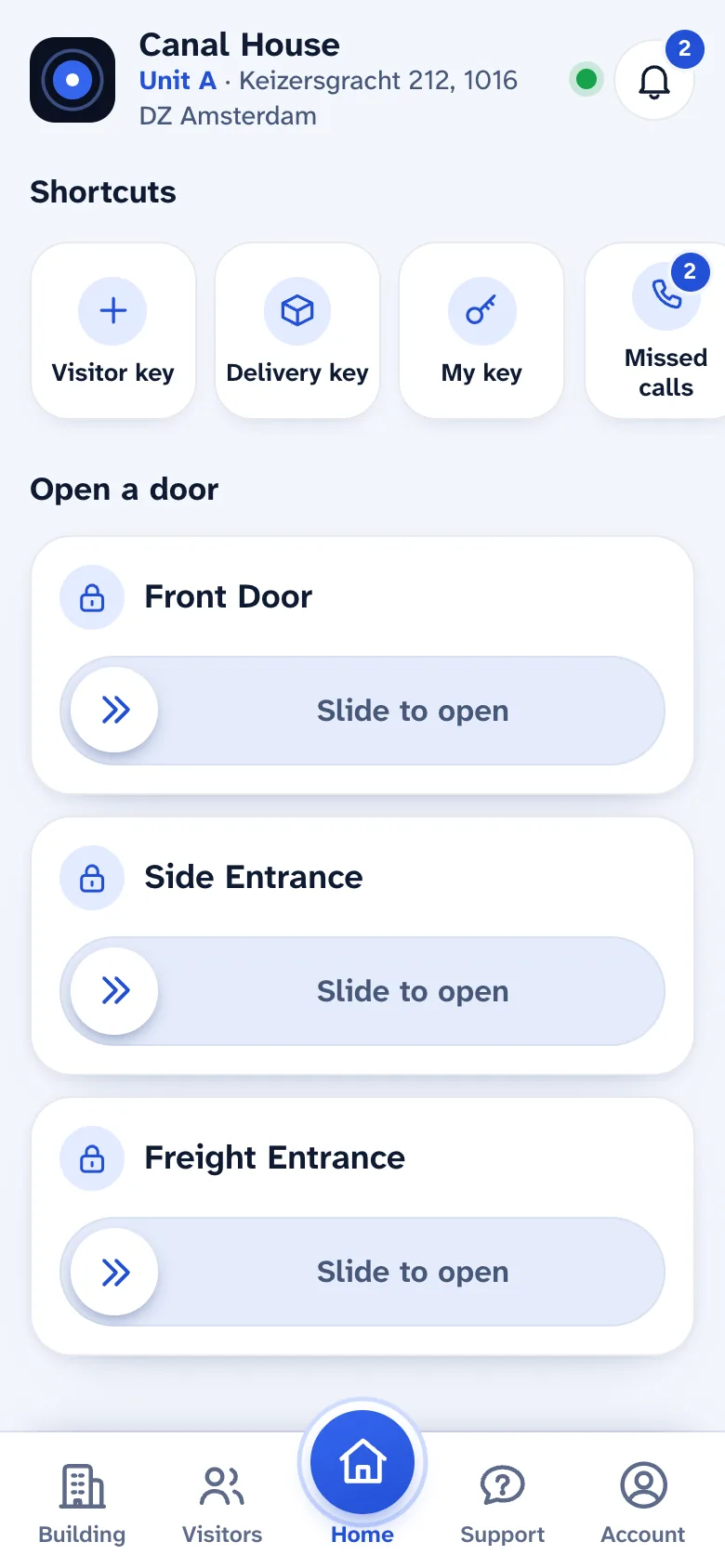
The resident app's home screen with a slide to open the building's door and shortcuts.

Open it with one slide.

Slide to open from the call, or straight from the app's home screen, for your own building's doors. It is a deliberate gesture, so a stray tap never opens anything, and it is protected by your sign-in.

  • The door releases for 3 seconds at most
  • Add two-step sign-in for the strongest protection

Try it: slide the handle.

Slide to open
  1. Slide above. The opening is written down for you.

A demonstration only. No door was opened.

Let a guest or a courier in without being there.

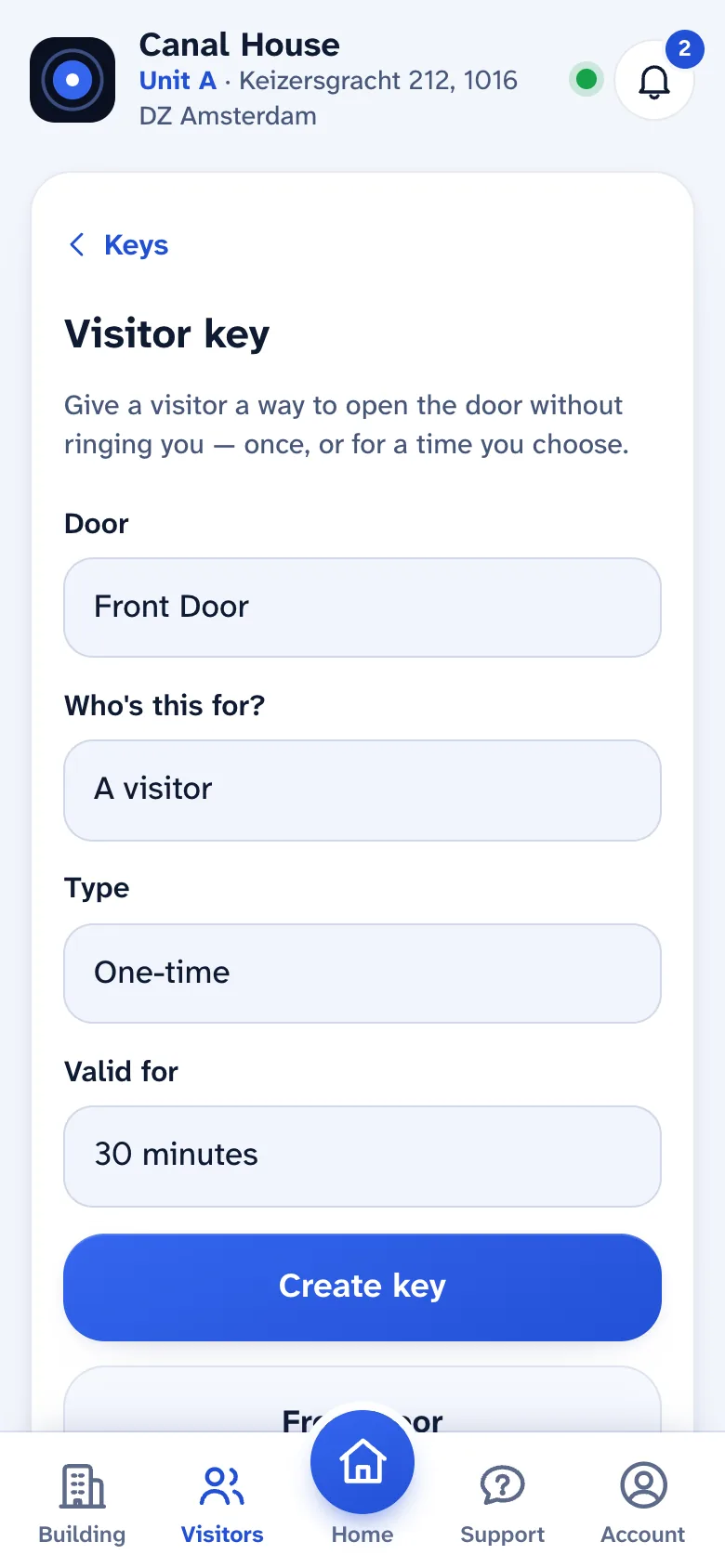
Make a visitor key on your phone: a QR code that works once, or for a date range, and expires by itself. The door scans it with its own camera. Revoke it in a tap.

  • Visitor, delivery and personal keys
  • Only a fingerprint of each key is stored, never the key
The resident app's visitor key form: door, who it is for, type and how long it is valid.

Missed a call? See who it was.

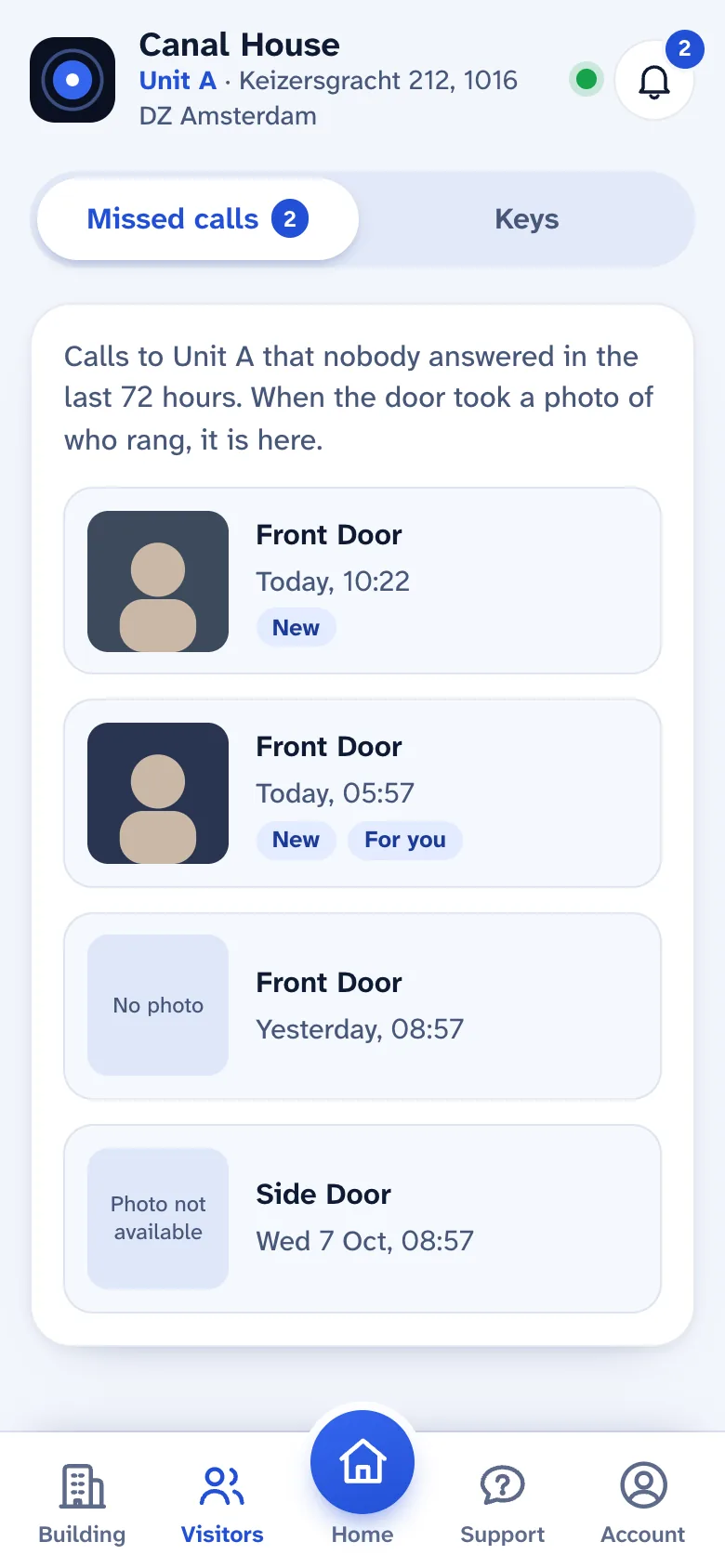
When a visitor rings and nobody answers, the door's photo of who rang is in your missed calls for 72 hours, only for the residents who were rung. A badge and a notification mean you don't miss it.

The resident app's missed calls list, with the time of each call and a photo of who rang.

Help is in the app too.

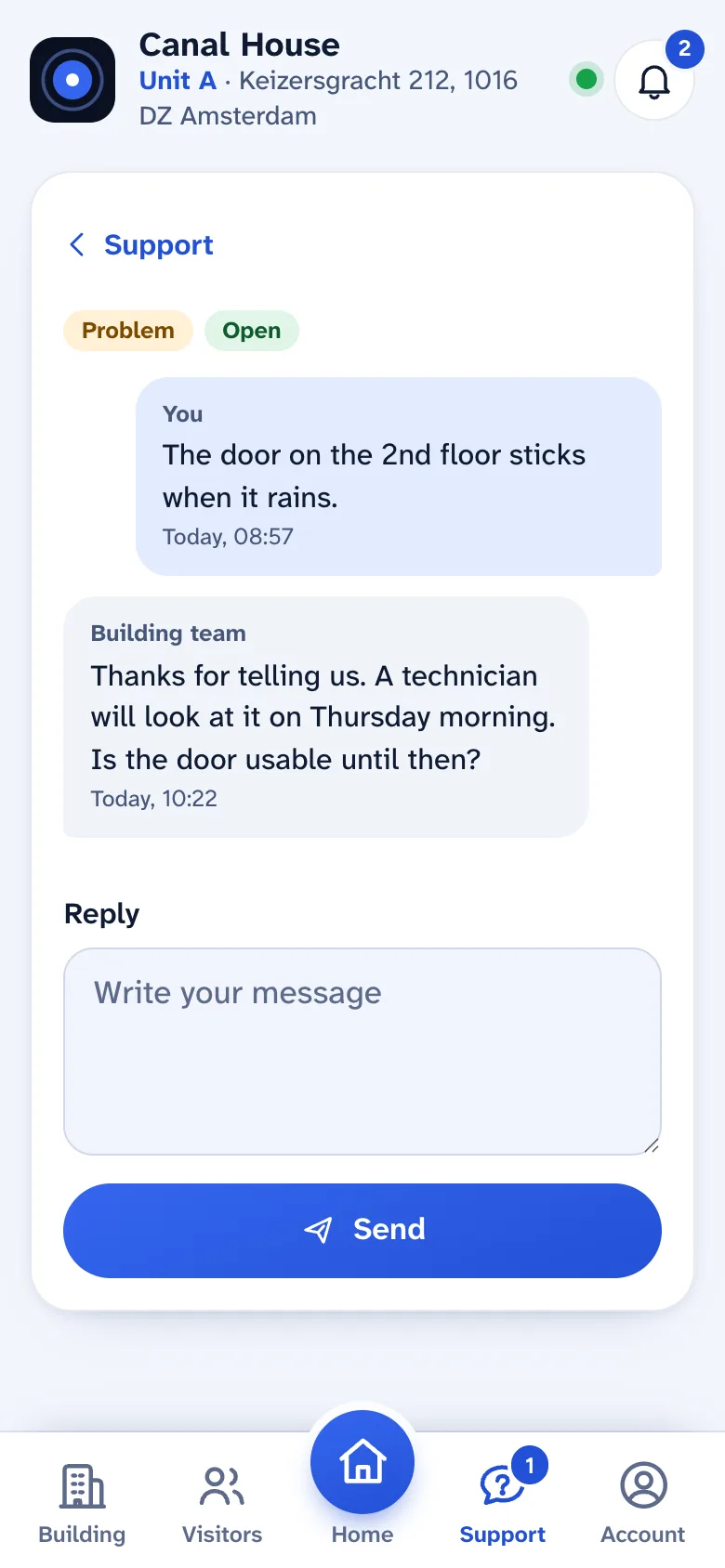
Ask a question or report a problem from the Support tab, and the building's team answers in the app and by email. Turn on two-step sign-in with an authenticator app, and a sign-in from a new phone is emailed to you.

A support conversation in the resident app, with a reply from the building team.
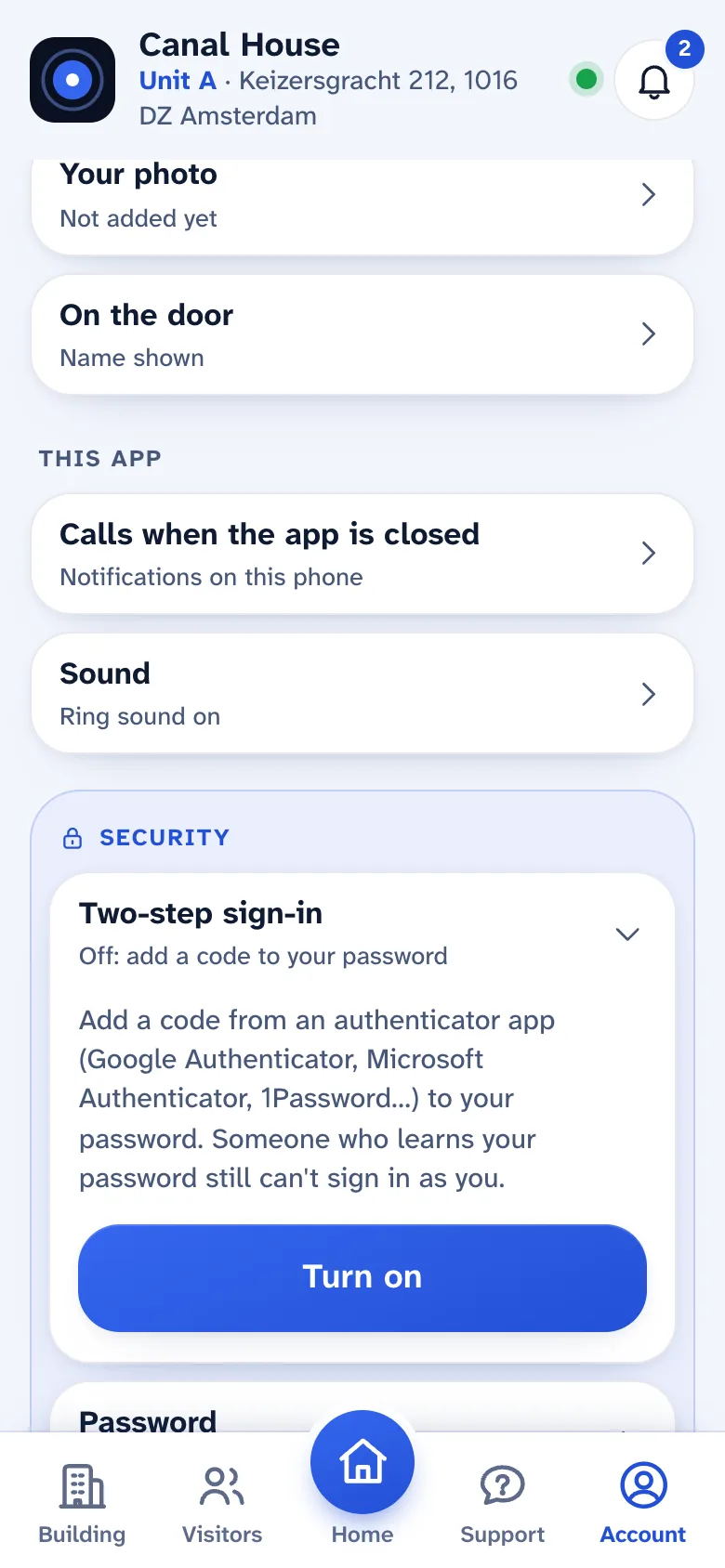
The Security section of the resident app, with two-step sign-in.

At the door: simple for every visitor.

An ordinary Android tablet in full screen. Large targets and strong contrast, easy to read for older and low-vision visitors.

Find the right apartment in seconds.

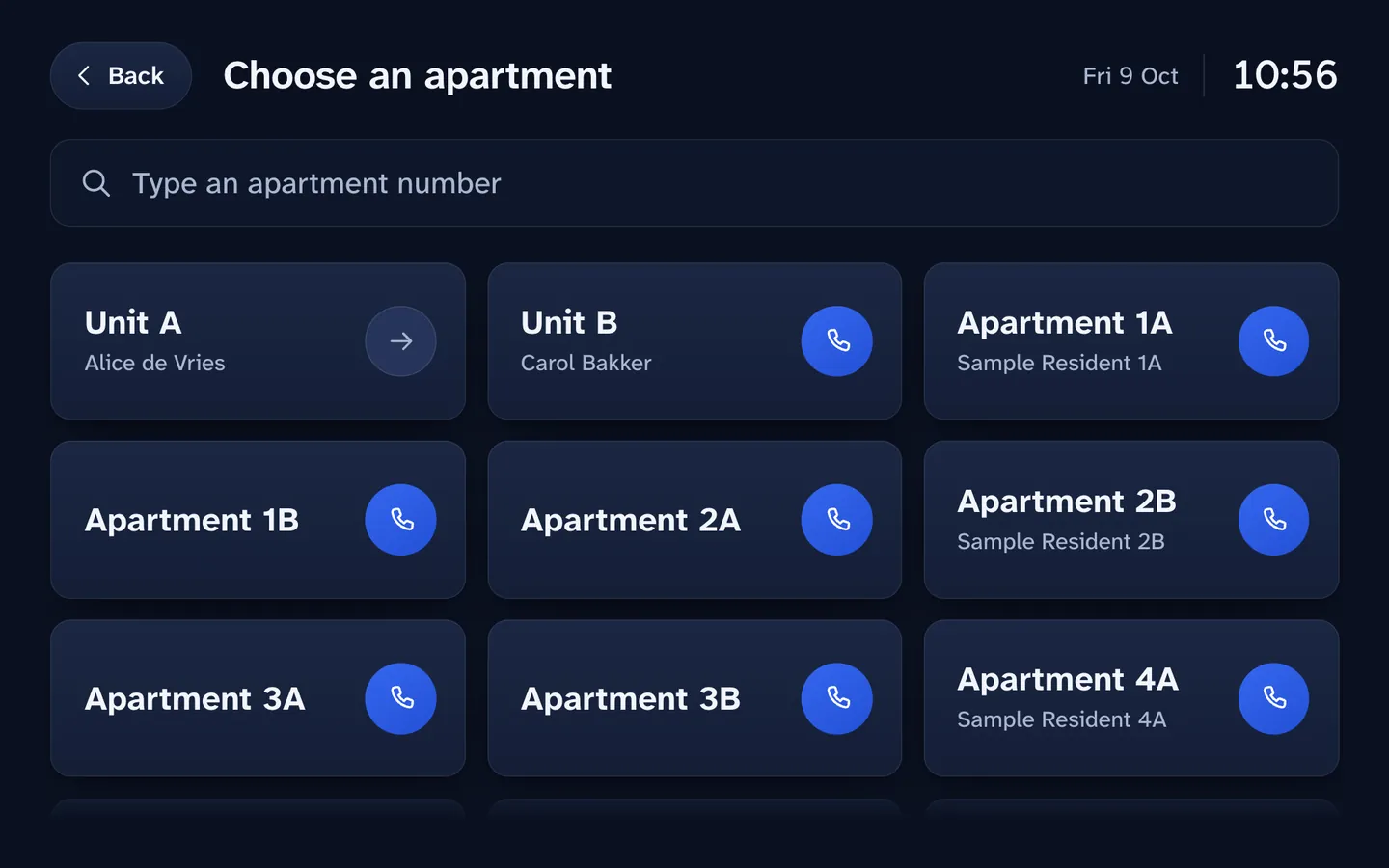
Visitors tap the apartment, or find a resident by name if that resident chose to be listed. They can ring one person or the whole apartment, and the door tells them when it takes a photo.

  • Names stay hidden unless a resident opts in
The door tablet showing a grid of apartments to call, with a search field for an apartment number.

A building PIN or a QR key, when there is nobody to ring.

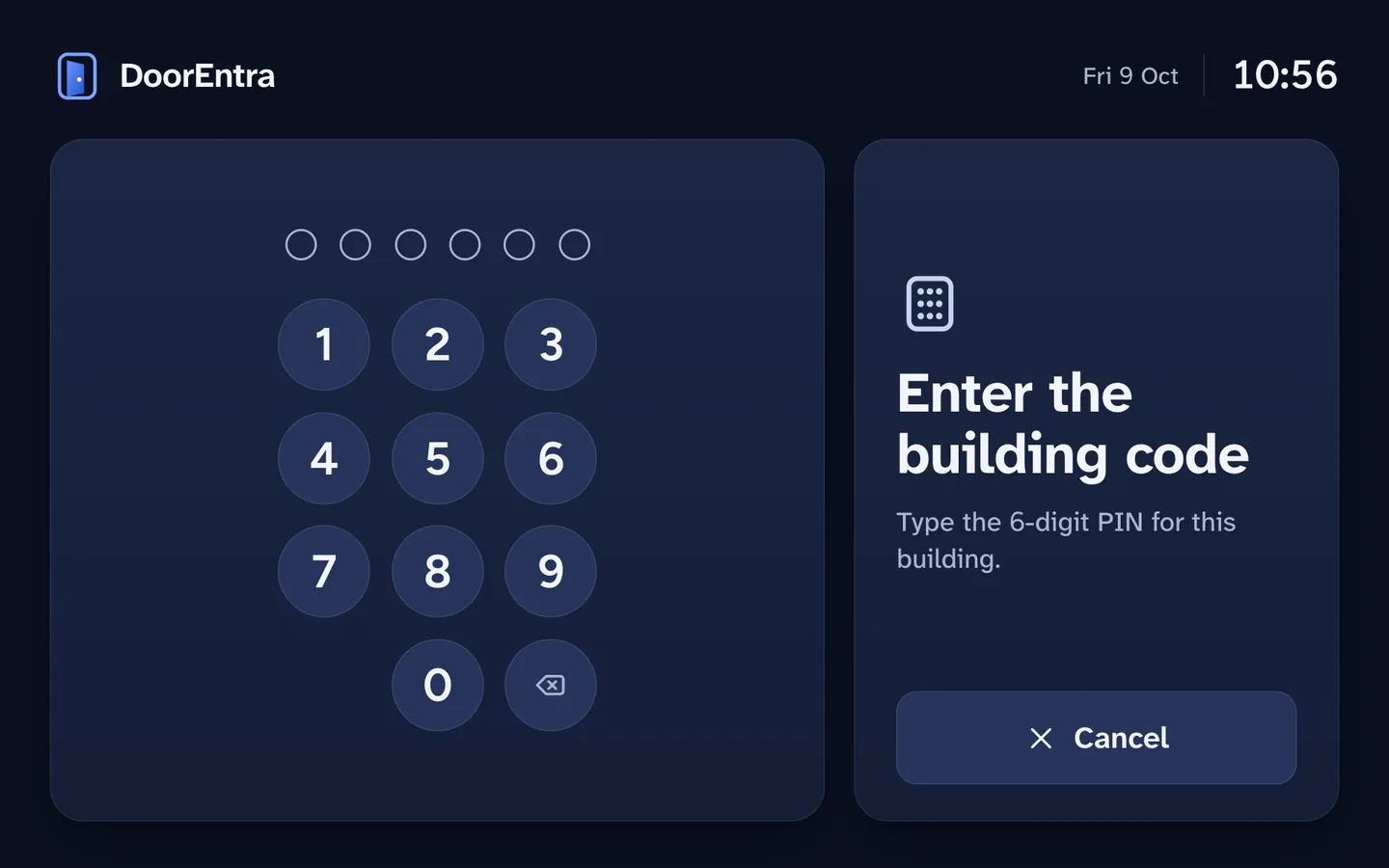
One shared six-digit PIN per building, set only by staff. After five wrong tries the pad locks, for longer each time. A guest's QR key is scanned by the same screen.

The door tablet's PIN pad with six empty digits and a keypad.

For managers: every door and tablet, from one page.

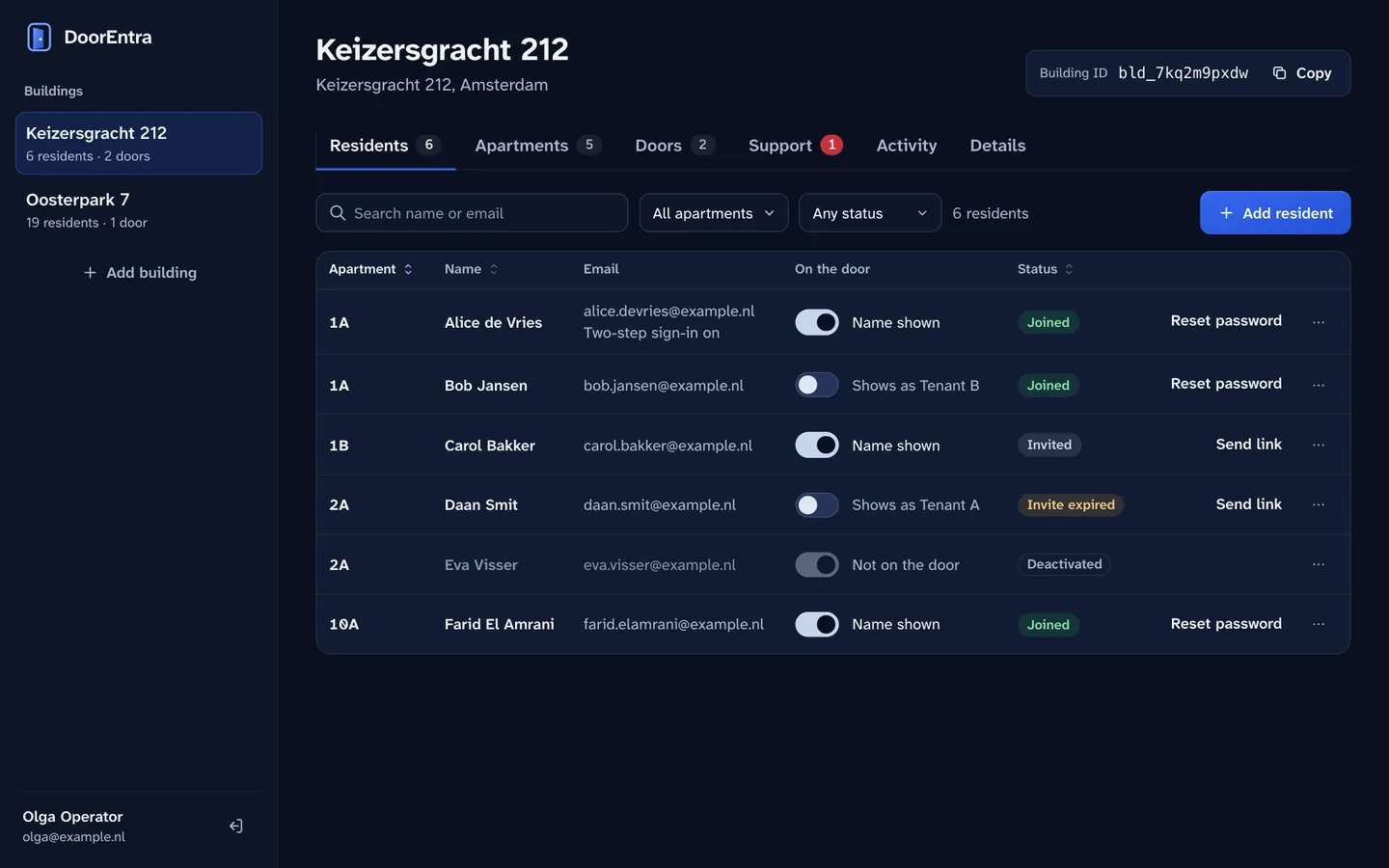
A simple web console. Nothing to install, and no trip to the building to change something.

See every tablet, and fix it from your desk.

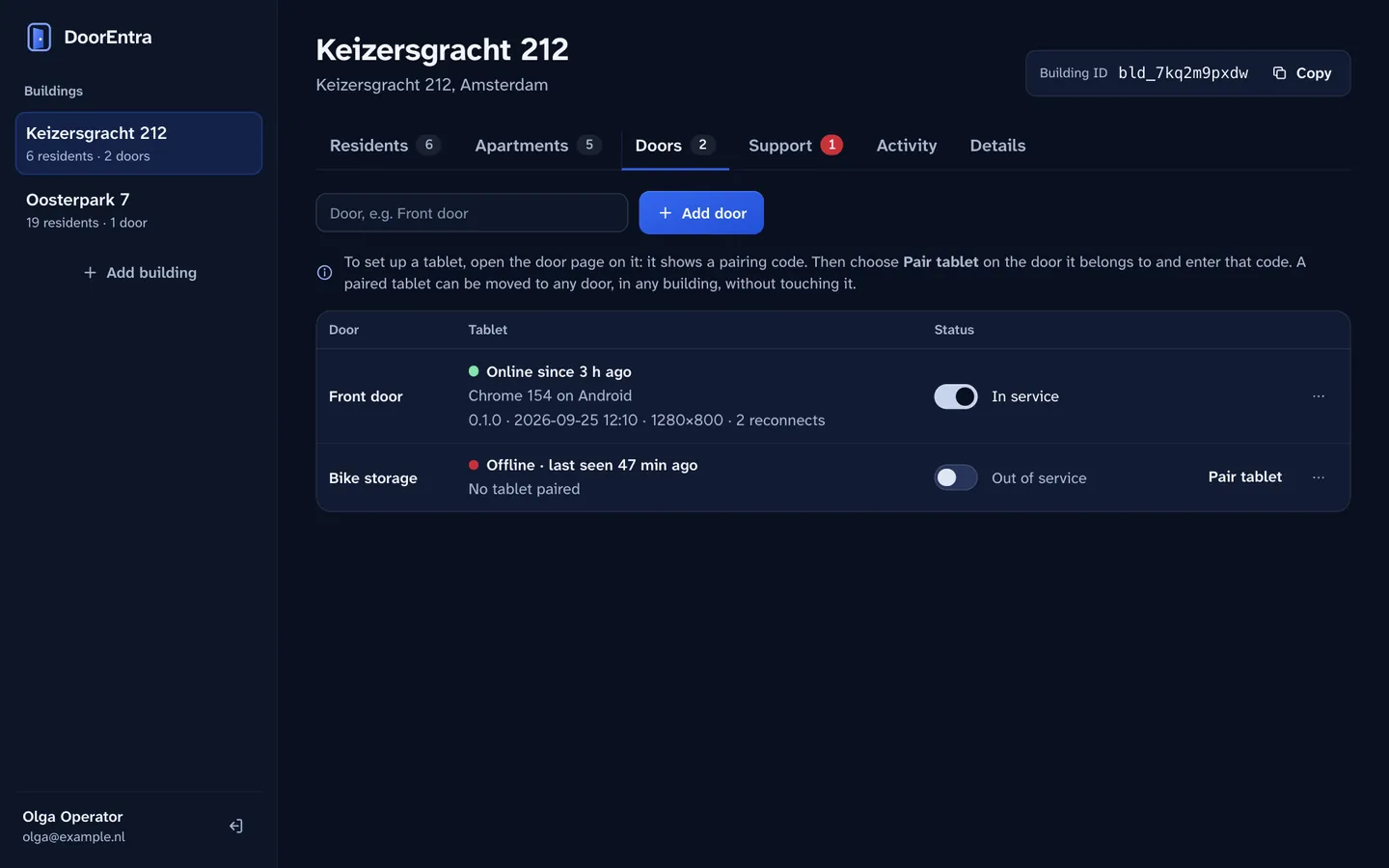
Pair a new tablet with a short code. See which tablets are online and what is wrong with one: camera, microphone, screen, last error. Restart it, make it identify itself, read its log, or move it to another door without touching it.

The management console's doors tab, showing which tablets are online and their health.

Residents and apartments in a few clicks.

Add apartments, invite residents by email, and turn on the extras per building: QR keys and the building PIN. Deactivate someone and their access ends at once, even mid-call. Answer their support questions in the same place.

The management console's residents tab, listing apartments and residents with their status.

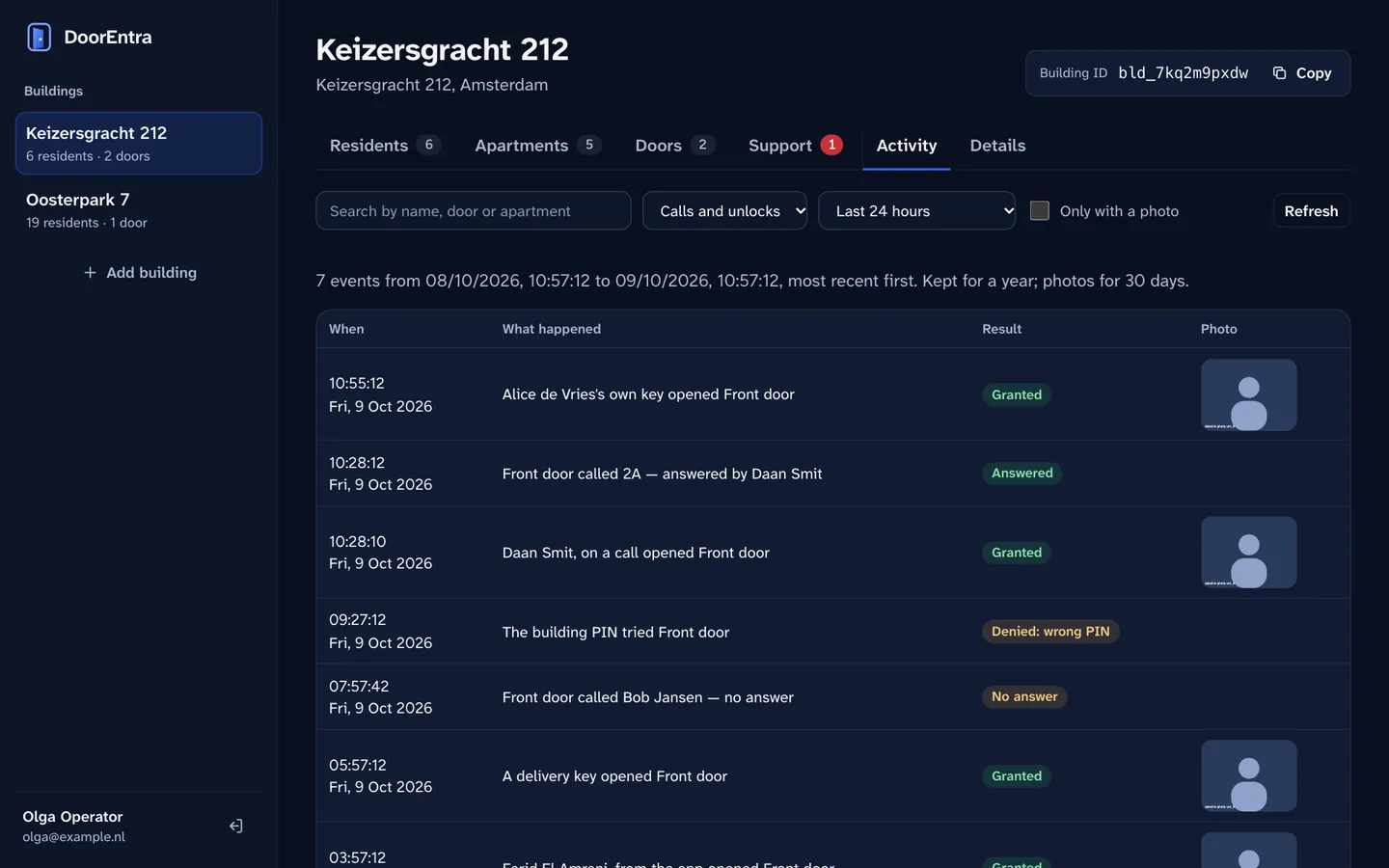
Know what happened at the door.

The activity log is searchable by time, door and person, shows the photo taken at each opening, and lets you download the one you need. It is kept for a year, and every admin action is logged too.

  • Who opened which door, and by which route
  • Photos viewed, stepped through and downloaded
The management console's activity log with a photo thumbnail beside each opening.

Told when something is wrong.

When a PIN pad locks, or one door sees ten refused openings in ten minutes, operators get an email with a link to the log. It also shows a door controller that has stopped answering. At most one email per door and kind every half hour.

The door only opens for the right reason.

A door is the one thing in a building you cannot afford to get wrong. This is how DoorEntra is built, in plain words.

Answered call Visitor key Building PIN Resident's own slide Cloud, console
Four guarded ways in
An answered call, a visitor key, the building PIN, or a resident's own slide in the app. There is no open-door link, and neither the cloud nor the management console can open a door.
A short, capped pulse
The door strike releases for three seconds at most. The server caps it, and the door controller is built to refuse anything longer on its own.
No replays
Old or repeated commands are rejected by both sides, so a recorded message cannot open a door later.
Nothing goes unrecorded
Every attempt is logged, granted or refused, with the reason. A door that did not answer is recorded as exactly that.
Encrypted in transit
Calls, sign-in and administration run over HTTPS and secure connections. Video and audio are encrypted between the door and the phone.
Closed by default
Administration endpoints are not reachable from the internet. Pages run under a strict content policy, and abusive traffic is cut off.
Strong sign-in
Passwords are hashed with Argon2id. Staff need two-step sign-in, residents can add it, and every session can be revoked.
Access ends at once
Remove a resident or disable a door and calls end and connections close right away, not at the next sync.
Photos have an expiry
Doorbell photos are deleted after 72 hours, opening photos after 30 days, from private storage that only the system reads.
Hosted in the EU
Our servers are in Amsterdam, and the log and photos are stored in EU data centres.
We are before launch. We have no certifications yet and we do not claim any. The door controller is still in development, and opening a real door from the app has not yet been run in a live building. We would rather show you how it works: ask us for the details when you join the list.

Questions managers ask.

Is DoorEntra available today?

Not yet. We plan to open early access to a small number of buildings first. The waiting list is how we choose who to call first.

What will it cost?

Pricing is not set. People on the waiting list will hear it first.

What hardware does it need?

An Android tablet at the door, and a small controller wired to your existing electric door strike. The controller is still in development.

Do residents install an app?

No. It is a web app that runs in the phone's browser. On iPhone you add it to the Home Screen once, which also lets it ring when the screen is locked.

Can a resident really open the door from another country?

Yes. Opening works from any phone signed in to the resident's account, wherever it is, and only for doors of their own building. That is why sign-in is protected, with optional two-step sign-in, and why every opening is logged with a photo.

How much work is it for building staff?

Little. Everything is done in one web console: invite residents, pair tablets, turn on QR keys or the building PIN, and answer support questions. Nobody needs to visit the building to change settings or restart a tablet.

Can anyone at DoorEntra open my door over the internet?

No. The door opens only through the four guarded ways in. The cloud and the management console have no way to open it, and cannot change how long the strike releases.

What happens if the console is offline?

Doors keep working from the last copy of your building's data. Calls and openings continue, and everything is logged.

What is stored, and for how long?

The call and opening log for a year. Doorbell photos for 72 hours, opening photos for 30 days. A resident's own photo only if they choose to show it. The log and photos are stored in EU data centres.
Who is it for?

Property managers, building owners and VvE boards of apartment buildings.

Be one of the first buildings.

Join the waiting list. We write once, when early access opens.